
Breacher Story1.6 - Google Play
You'll be able to see results in few seconds.
Publisher Description
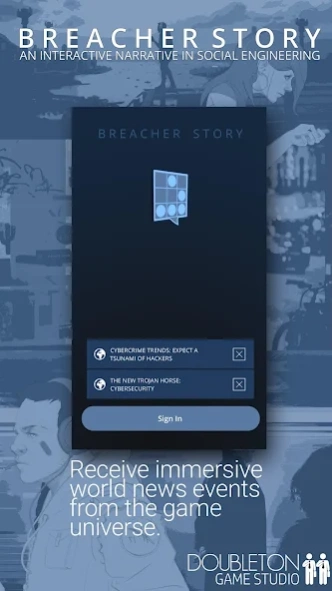
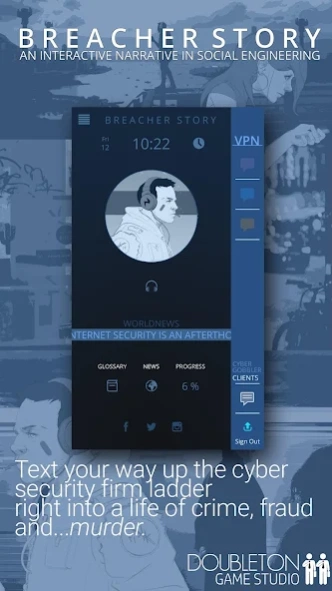
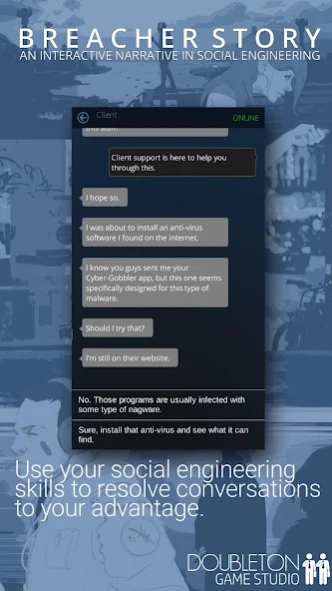

An interactive narrative in social engineering.
Breacher Story is a playable narrative experience that dives deep into the world of cyber-security, conspiracy theories and social engineering.
Enjoy an immersive choice-driven adventure through intriguing mobile conversations, real-time phone notifications and unprecedented world events. Carefully choose your replies to make your way up the small corporate ladder towards an unforeseen future or sabotage your new career.
Witness critical world events surrounding cyber-threats, ransomeware, online phishing and DDoS attacks as they unfold in real time. Interact with unique characters in a story that’ll keep you entertained and guessing until its dramatic open ended conclusion.
Main features:
- An immersive way of introducing the narrative through an intuitive interface.
- Utilizing chat mechanics of popular messaging apps.
- Use your social engineering skills to reach your goals.
- Unlock different conversations based on the player’s success or failures.
- Unique and original characters that helps you immerse in the narrative.
- Multiple choices will lead to the dramatic open ended conclusion.
- In game world news ticker.
- Dynamic glossary.
- Realtime notifications.
- Many days of gameplay.
*The Breacher universe can be hindering for some technophobes. This is one of the reasons we included a dynamic glossary that updates based on the words used in game.
IMPORTANT : We are trying to make everything work on all devices but please note some tablet/square shape screen resolution are not supported.
About Breacher Story
The company that develops Breacher Story is Doubleton Game Studio. The latest version released by its developer is 1.6.
To install Breacher Story on your Android device, just click the green Continue To App button above to start the installation process. The app is listed on our website since 2021-09-21 and was downloaded 0 times. We have already checked if the download link is safe, however for your own protection we recommend that you scan the downloaded app with your antivirus. Your antivirus may detect the Breacher Story as malware as malware if the download link to com.Doubleton.BreacherStory1 is broken.
How to install Breacher Story on your Android device:
- Click on the Continue To App button on our website. This will redirect you to Google Play.
- Once the Breacher Story is shown in the Google Play listing of your Android device, you can start its download and installation. Tap on the Install button located below the search bar and to the right of the app icon.
- A pop-up window with the permissions required by Breacher Story will be shown. Click on Accept to continue the process.
- Breacher Story will be downloaded onto your device, displaying a progress. Once the download completes, the installation will start and you'll get a notification after the installation is finished.
Program Details
System requirements
Download information
Pricing
Version History
version 1.6
posted on 2021-09-21
Fast mode
UI fix
Notification Fix
version 1.0
posted on 2018-06-24
French translation
Disclaimer
Official Google Play Link
We do not host Breacher Story on our servers. We did not scan it for viruses, adware, spyware or other type of malware. This app is hosted by Google and passed their terms and conditions to be listed there. We recommend caution when installing it.
The Google Play link for Breacher Story is provided to you by apps112.com without any warranties, representations or guarantees of any kind, so access it at your own risk.
If you have questions regarding this particular app contact the publisher directly. For questions about the functionalities of apps112.com contact us.
